Your Katana MkII. Every setting, everywhere you play.
BOSS Tone Studio is unreliable and desktop-only. Katana Tone Control is a full editor, librarian and live controller for the BOSS Katana MkII — dial in settings the amp's own panel can't reach, keep a library of patches, run a setlist on stage, and even ask your own AI assistant to set the tone for a song. Switch channels from your Apple Watch, a widget or Siri.

The editor
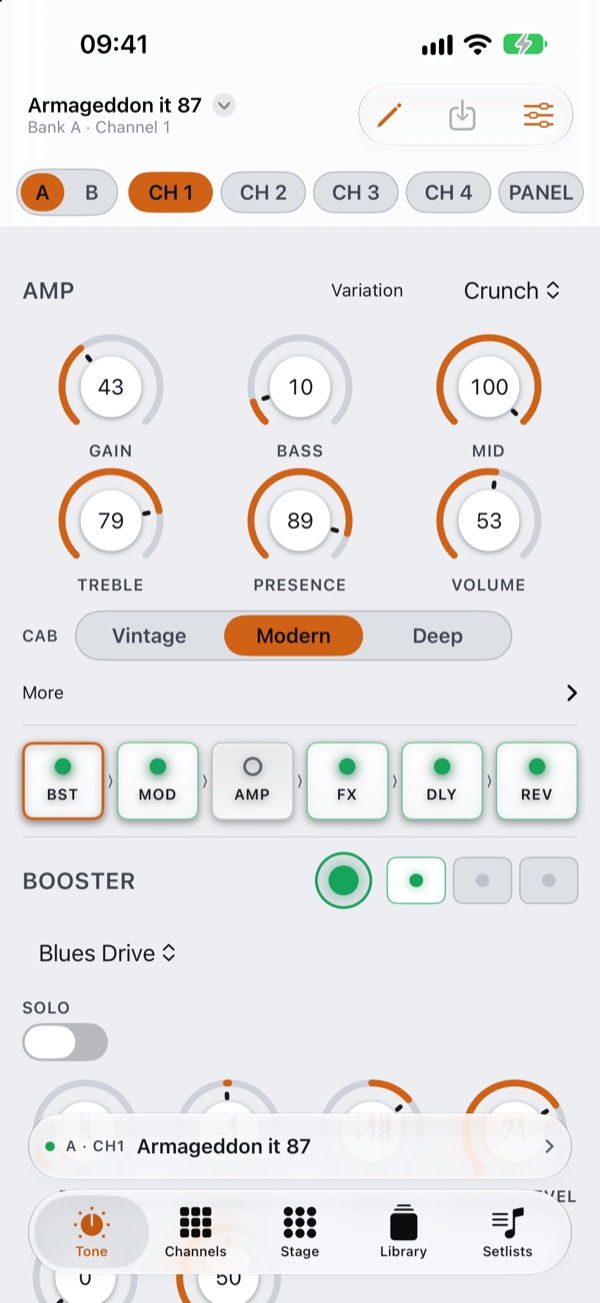
Every setting, laid out like the amp
No menu diving. Every parameter is on screen, including the ones the amp's own panel can't reach.
- Amp character, gain up to 120 — beyond the panel's 100 — full EQ, cab resonance, Variation and every preamp model.
- Every effect type for Booster, MOD, FX, Delay and Reverb, including ones the panel and BOSS's own list leave out — Dual delays, Hall 2, Pedal Bend as an effect — each with its full set of settings.
- Pedal FX, noise suppressor, send/return, two EQs, solo, Contour, panel colour banks, and knob assigns.
- Drag pedals to reorder the signal chain — put the booster after the amp if that's the sound you want.
- Assign an expression pedal to any parameter, with its own heel and toe values, through the amp's EXP jack or a GA-FC.
- Rename a patch and save it to any channel; tap tempo built in.
- Undo and redo every change while you edit, and A/B compare your edit with the saved sound.
drag a pedal to reorder the chain
Setlists
Setlists built for real gigs
- Songs with parts: give a setlist song up to four tones — a clean verse, a fuzz chorus, a solo. Name each part and pick its patch.
- Switch parts from your feet, with no gap. Perform saves a song's parts into one bank of the amp (CH1, CH2, CH3…), so a GA-FC or the amp's own channel buttons switch between them instantly. The screen follows along and lights the part that's playing.
- Your sounds are safe: you choose which bank the set uses (Bank B by default). It's backed up before the first song is written — also saved as a file — and when you finish, Perform offers to put it back.
- Step between songs with big on-screen buttons, a Bluetooth page-turner or the arrow keys. A song with one tone goes to Panel and saves nothing.
- Tempo per song: delays repeat in time with the song.
- Match Levels evens out the volume of a song's parts.
- On Mac, Perform opens in its own window — full screen, or on a second display.
switch parts with a GA-FC or the amp's channel buttons
Channels
See all nine channels at a glance
- All nine channels — Panel, A1–A4, B1–B4 — read silently the moment the app opens. No cycling through the amp to fill the screen.
- Follows the amp: press a channel button on the Katana and the app updates to match.
- Send any patch from your Library straight to a channel, or copy a channel back into the Library.

Stage mode
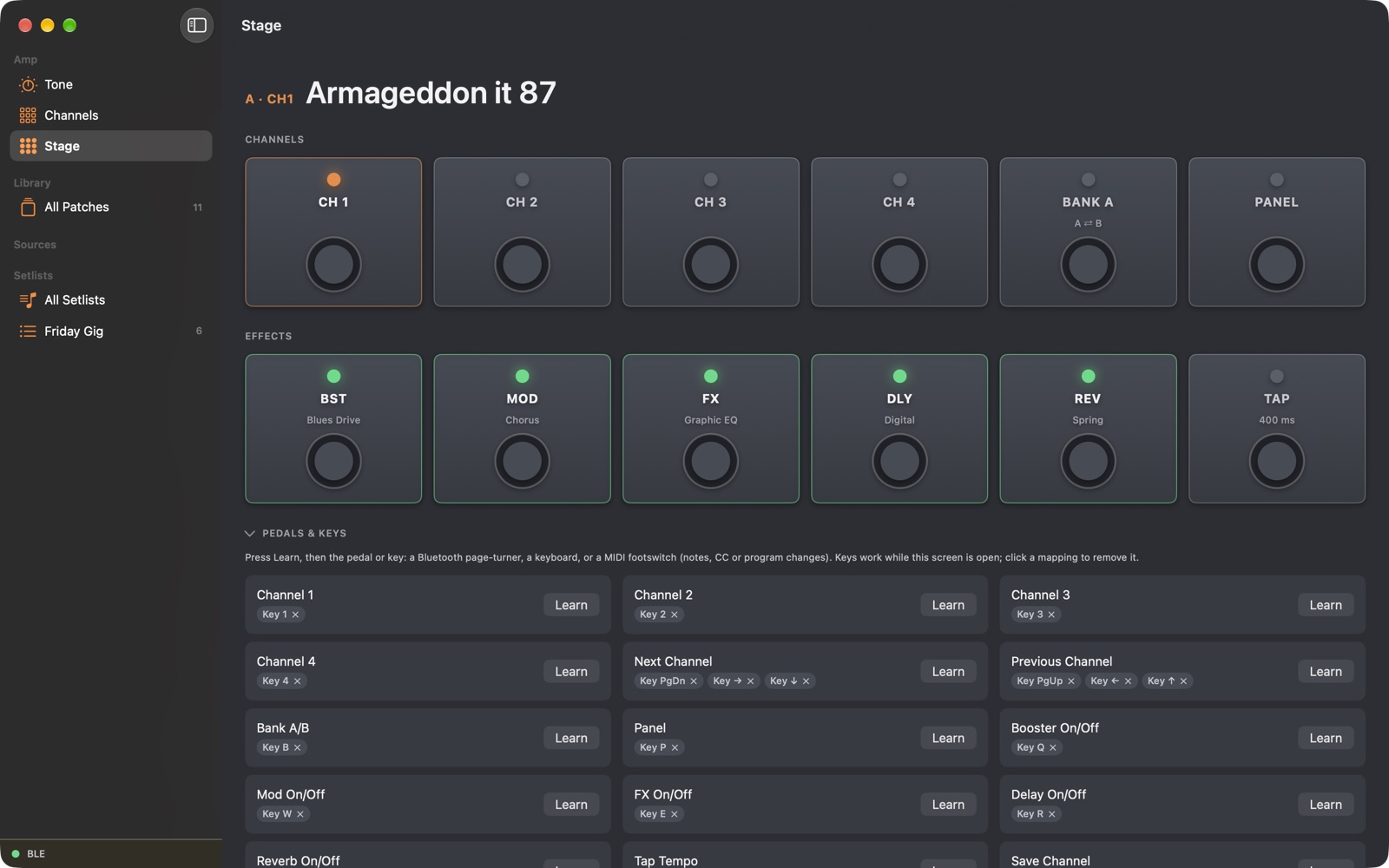
Big controls, built for a stage
- Big footswitches for channels, bank, Panel, all five effects and tap tempo — lit from the amp's real state.
- Use the pedals you already have: map Bluetooth page-turners, a keyboard, or a MIDI footswitch to channel changes, effects on/off, tap tempo and save — one press of "Learn" and you're mapped.
- Keeps the screen awake through the set.
- Page-turners and arrow keys change channel on the Tone screen too, so you can edit and switch without leaving it.
Library
Every patch you've ever downloaded, in one place
- Import
.tslpatches from BOSS Tone Studio and Tone Exchange — whole preset bundles included — plus FxFloorBoard files. - Import a whole folder, subfolders included. Years of downloads in one go.
- No duplicates: patches already in the Library are skipped, and the import tells you how many.
- Select several patches to export, delete, or add to a group or setlist in one go. On Mac and iPad, drag patches straight onto a setlist in the sidebar.
- Export to
.tsl— one patch or a whole liveset — with each colour button's effect types intact. - Tag, group and search your library; send any patch to the amp in one tap.
- iCloud sync: your Library, groups and setlists are the same on your iPhone, iPad and Mac.
- Share a patch by AirDrop, Messages or Mail as a
.tsl; open one you've received to add it.

Beyond the app New in 1.1
Your amp on your wrist, your Home Screen and Siri
- Apple Watch: switch channels and turn effects on and off from your wrist, and see what's playing.
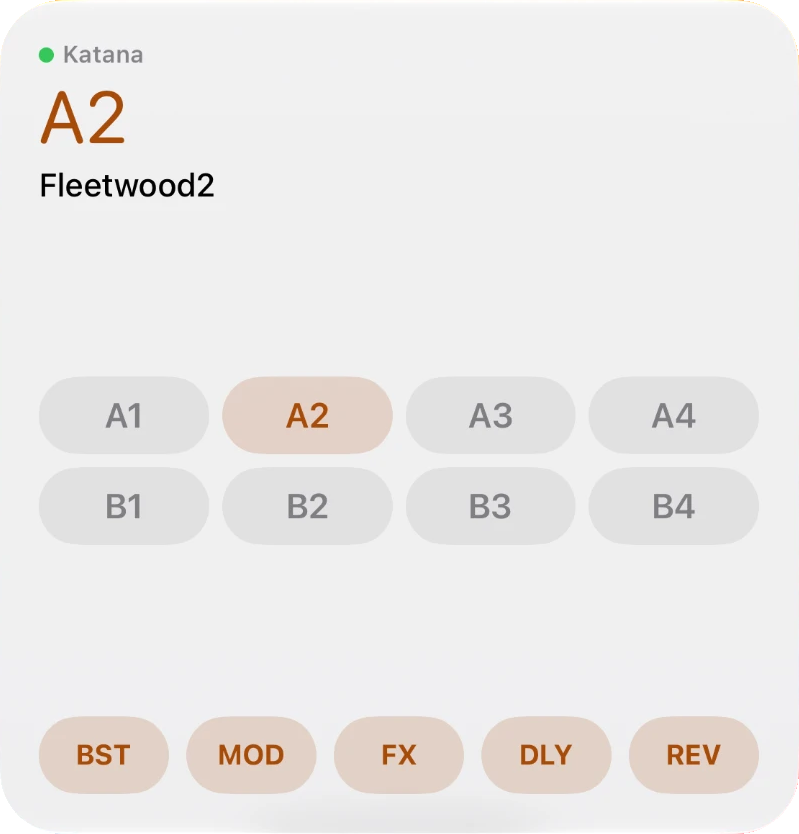
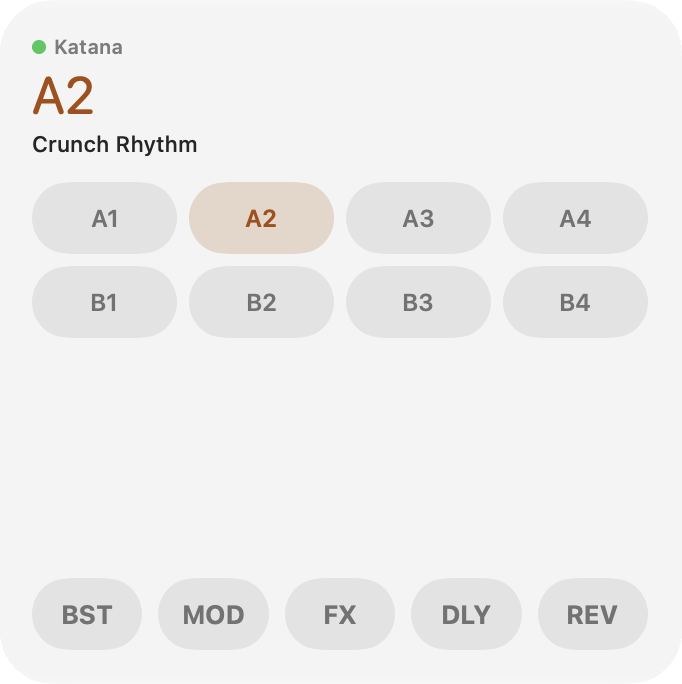
- Widgets on the Home Screen, Lock Screen and Mac desktop: what's playing, channel and effect buttons, next song.
- Control Center controls on iPhone: an effect on/off, next song.
- Siri and Shortcuts: "Switch to A2 in Katana Tone Control", turn effects on and off, "more gain", open a setlist.
- All of these work as remotes: the iPhone or Mac app stays connected to the amp.

Amp settings
Every global setting, in one place
The Katana's own system menu, reachable without a screwdriver. And back up the whole amp — all eight channels and the global settings — to a file, and restore it.
Looks and feel
Light or dark, made for each device
Light and dark appearance, following your device or chosen in Settings. iPhone, iPad and Mac each get a layout of their own — a sidebar on iPad and Mac — with the amp's connection status always in view. Knobs and sliders are labelled and adjustable with VoiceOver.



AI, for Mac · optional
Ask your own AI assistant to set the tone
- Connect an AI app you already use — Claude Desktop, Claude Code, or any app that supports the Model Context Protocol, like Cursor, VS Code, Zed or LM Studio — from Settings → AI Assistants.
- Ask for a song ("This Love by Pantera") and it sets the amp to match, hands you the exact Songsterr tab link and tuning, and refines the sound with you from there.
- Uses your own AI plan — nothing goes through us. A free Claude account works: Claude Desktop with the app's extension is the recommended route.
- Safety built in: it can never raise your volume, and never saves over a channel without asking first.
Loaded onto A2: Clean Twin preamp, light BOSS Comp, short Room reverb — Frusciante's glassy clean Strat sound.
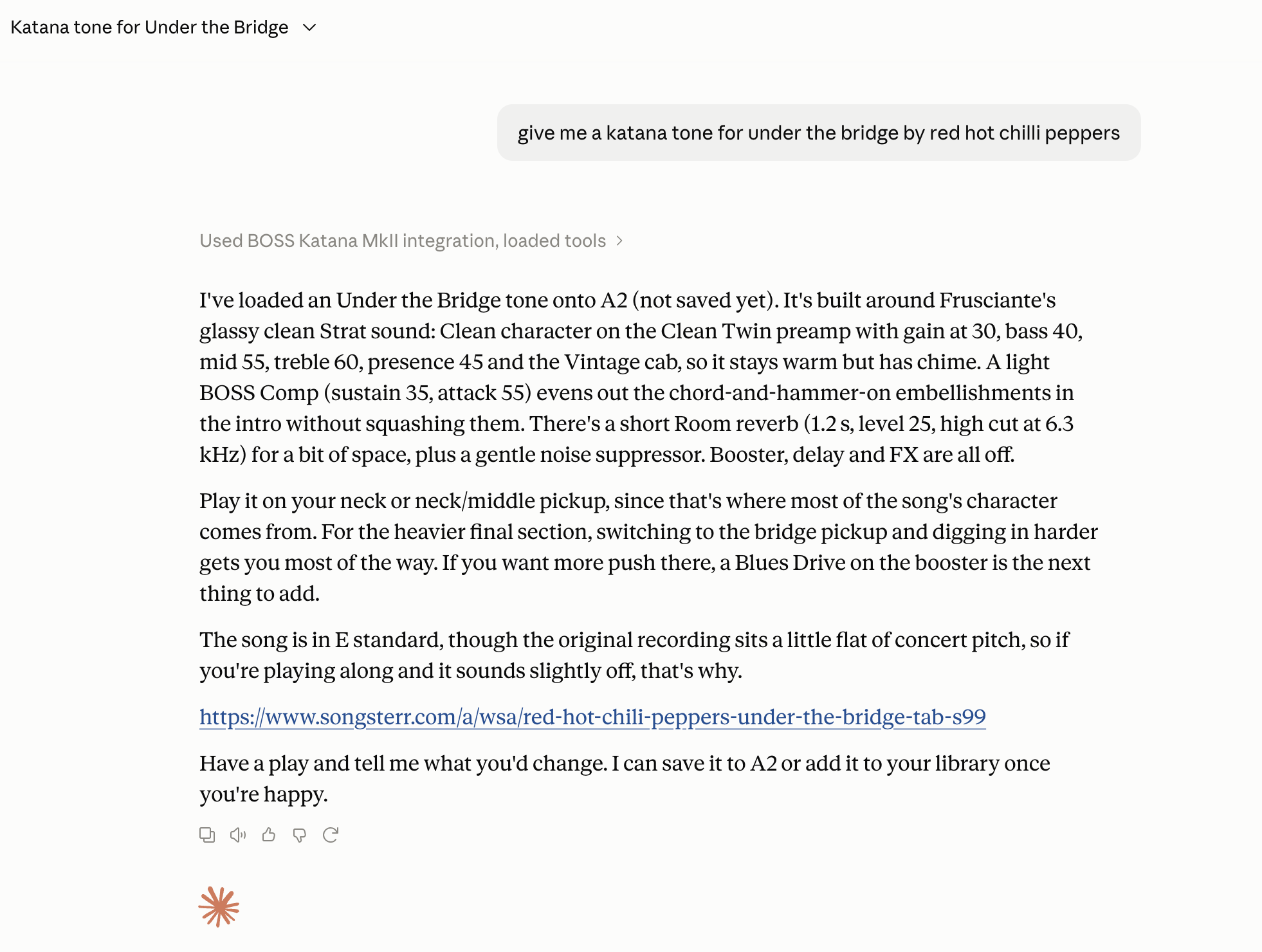
An unedited conversation from Claude Desktop, connected over MCP — the reply above is the real response, condensed.
What you need
Requirements
- A BOSS Katana MkII — 50, 100, Head, Artist, or 100/212. Not the original Katana.
- Bluetooth through a BLE-MIDI adapter on the amp (e.g. CME WIDI), on iPhone, iPad and Mac. On a Mac, a USB cable also works once BOSS's Katana driver is installed (it comes with BOSS Tone Studio).
- iPhone or iPad on iOS/iPadOS 27 or later; Mac on macOS 27 or later.
- Apple Watch on watchOS 26 or later, paired with an iPhone running the app.
- Optional: a BOSS GA-FC footswitch, an expression pedal, Bluetooth page-turner pedals, or a MIDI footswitch.
then £9.99 / $9.99 once
Download for free and try everything for seven days, then a single one-off Unlock for £9.99 / $9.99 (or your local equivalent) — no subscription. One purchase covers iPhone, iPad and Mac on the same Apple Account, and Family Sharing means one Unlock covers the family. Prices vary by region; the App Store shows yours. Same link for iPhone, iPad and Mac.
Download on theApp StoreWhat's new
Recently added
Coming in the next update
.tsl no longer imports as an empty MkII patch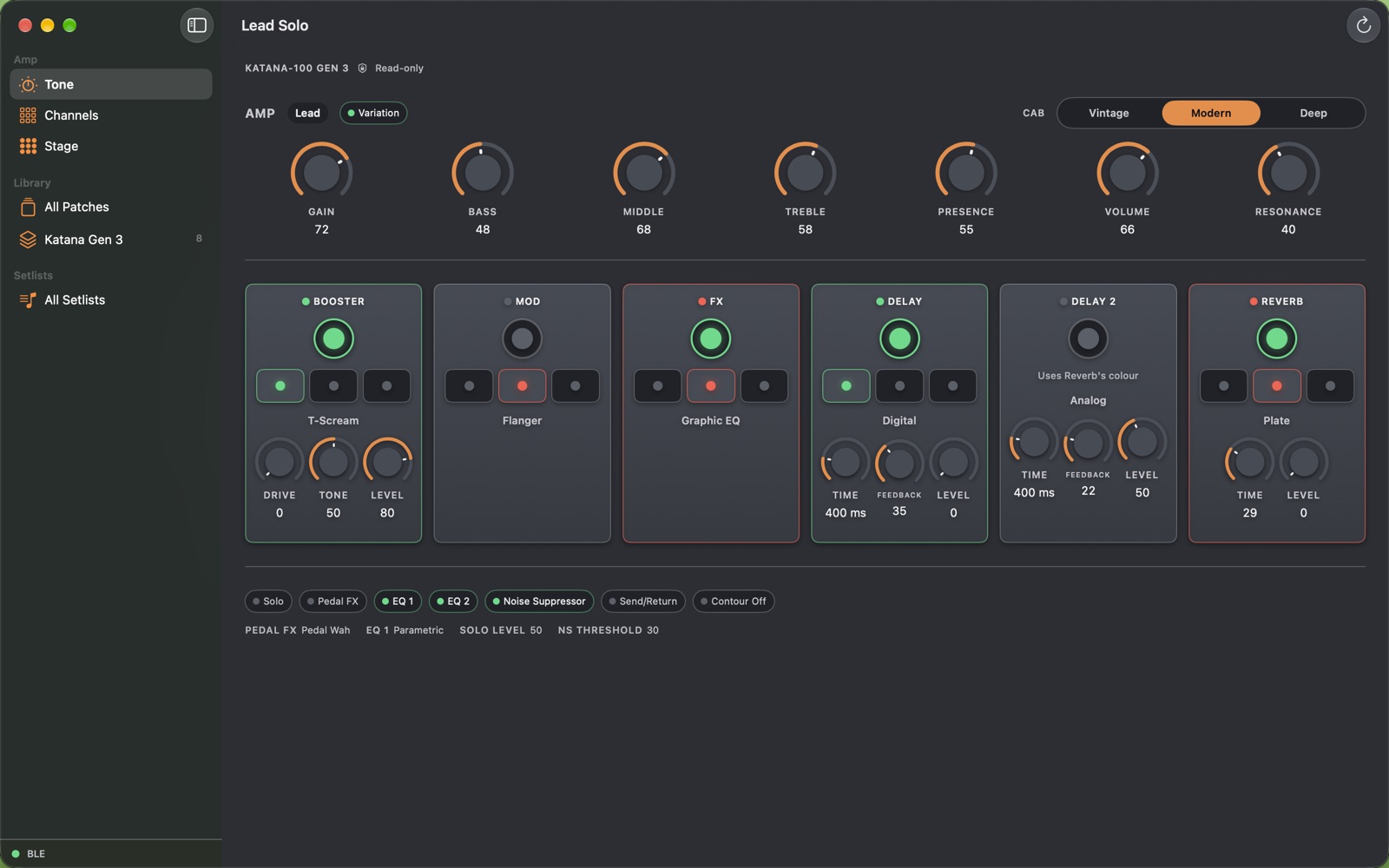
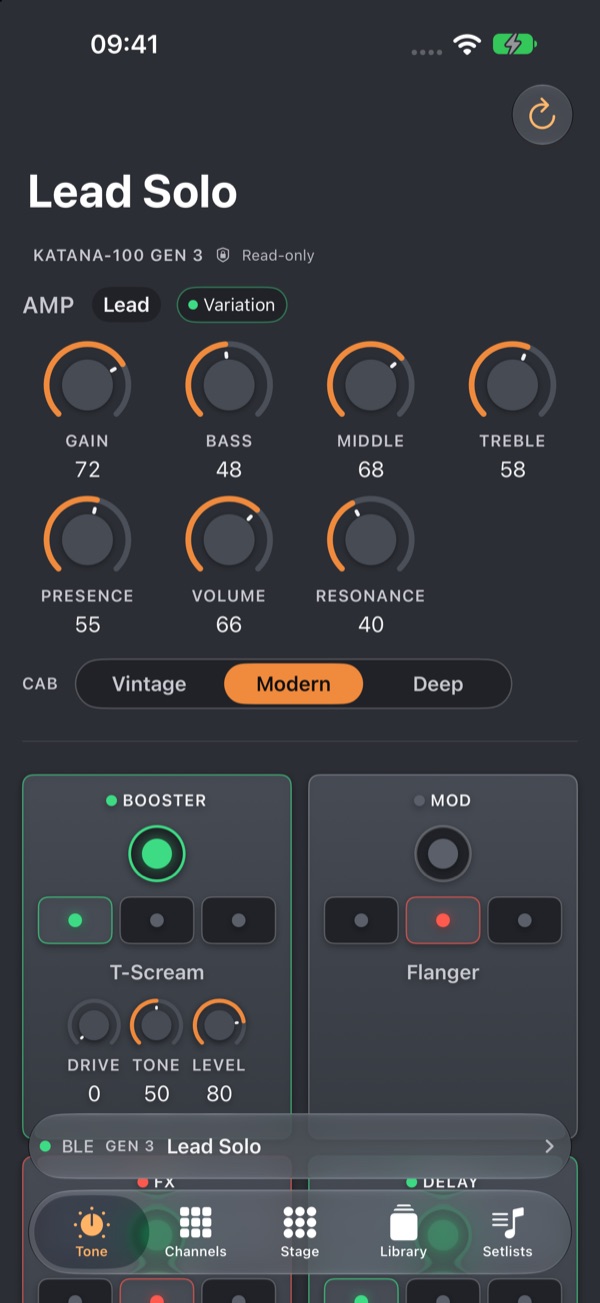

Preview from a demo build, so the amp and patch names are made up. Gen 3 support is read-only at first; editing is on the way.
Latest · 1.1
1.0.3
Earlier updates · 1.0.1–1.0.2
At launch · 1.0
Questions
FAQ
Does it work with my Katana?
Katana MkII models, yes — 50, 100, Head, Artist and 100/212. The original Katana isn't supported.
Do I need Tone Studio?
No. Katana Tone Control replaces it entirely — editing, library, and channel management all live in the app.
Wired or wireless?
Bluetooth with a BLE-MIDI adapter on the amp (such as a CME WIDI) works everywhere. USB works on a Mac with BOSS's Katana driver installed, but not on iPhone or iPad — the amp's USB needs that driver.
Will it change my saved sounds?
Only when you press Save, or when you perform a song with several parts: those are saved into the one bank you give the set, after it's backed up, and you can put it back when you're done. Everything else changes the current sound only, the same as turning a knob on the amp.
Can I switch between a song's verse, chorus and solo tones?
Yes. Give the song parts in its setlist, and Perform loads them onto CH1–CH4 of one bank for your GA-FC or the amp's channel buttons.
Can I import my whole patch folder?
Yes. Choose Import → Folder and Subfolders; patches you already have are skipped.
Can I use my footswitch?
Yes — a GA-FC works as normal, and Stage mode lets you map Bluetooth page-turners, keyboards and MIDI footswitches too.
What about my data?
It stays on your devices and syncs through your own iCloud; we never see it. No accounts, no analytics, no tracking — see the Privacy Policy for the few optional features that talk to another service.
Does it work on Apple Watch?
Yes: switch channels and effects from the watch while the iPhone app is connected to the amp.
Can I use Siri?
Yes: “Switch to A2 in Katana Tone Control”, “more gain”, effects on and off, and Shortcuts for your own routines.
Can I undo a change?
Yes, every edit — and A/B compare it with the saved sound.
Is it a subscription?
No. It's free to try for 7 days, then a one-off Unlock (£9.99 / $9.99 or local equivalent) that covers iPhone, iPad and Mac — shared with your family through Family Sharing.
Can I use my Tone Studio / Tone Exchange patches?
Yes, including preset bundles — just import the .tsl files.
Light or dark?
Both. It follows your device, or you can choose in Settings.
Support
Need help?
Check the FAQ above, or email katanatonecontrol@triplejdeveloping.com — include your Katana model, your device, and how it's connected (USB or Bluetooth).
Not affiliated with Roland or BOSS
An independent app, built by a player who wanted their editor back. No accounts, no analytics, no tracking — your patches stay on your devices and your own iCloud.
Download on theApp Store Read the privacy policy